
How to Dictate a Legal AI File Note After a Client Meeting
A practical workflow for lawyers who want to dictate post-meeting notes, turn them into a structured draft File Note, and retain control of the final record.
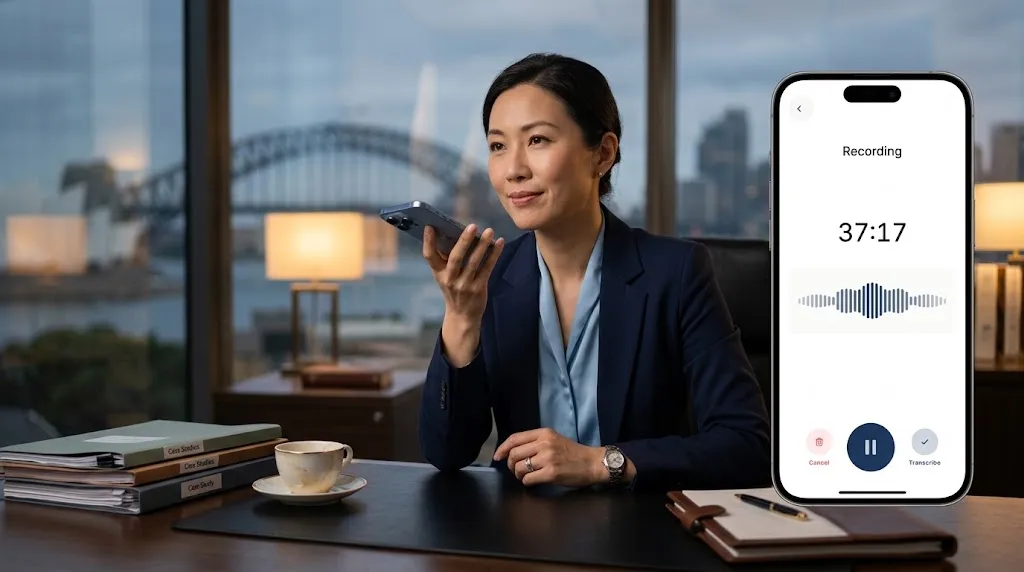
A lawyer can dictate a File Note immediately after a client meeting and use LexVoda to turn that recorded dictation into a transcript and structured draft File Note for review. The lawyer remains responsible for what is recorded, what the draft says, and whether the final note is appropriate for the matter.
This is useful when the important details of a meeting are still clear, but there is not enough time to sit down and write a polished note before moving to the next client, court appearance, call, or task.
Why dictate a File Note after the meeting?
The end of a client meeting is often when the most useful context is freshest: what the client said, which instructions matter, what was agreed, what needs to be checked, and what should happen next. Waiting until later can mean reconstructing the conversation from abbreviated handwritten notes, memory, emails, or a calendar entry.
Post-meeting dictation gives a lawyer a practical way to capture that context in their own words. It does not need to replace a full recording of the meeting. It can be a short, deliberate attendance note made after the client has left or the call has ended.
LexVoda is designed to process recorded or imported legal audio on the Apple device. From a dictated note, it can create supporting transcription and an AI-generated draft File Note that the lawyer can inspect, edit, and decide whether to use.
A simple post-meeting dictation workflow
The most useful dictation is specific enough to create a reliable starting point, without trying to compose the final File Note aloud. A lawyer can follow this sequence:
- Identify the matter and people involved. State the client name, matter reference, meeting date, and who attended.
- State the purpose of the meeting. Briefly explain why the meeting took place.
- Capture material facts and instructions. Record what the client said, what information was provided, and any instructions that need action.
- Record advice, decisions, and questions. Distinguish between matters discussed, decisions made, and points that need further confirmation or research.
- Set out next steps. Name the follow-up work, responsibility, and any deadline or event that needs attention.
- Record the dictation in LexVoda. The app processes the audio into a transcript and structured draft for review.
- Review and complete the File Note. Check the source material, correct the draft, add missing context, and decide whether the final note belongs in the matter record.
The workflow is intentionally simple: capture the professional context while it is fresh, then give the final document the attention it requires.
What to say in a legal dictation
Lawyers do not need a rigid script. A consistent prompt can make dictations easier to review and turn into useful File Notes. For example:
“Matter: [matter name]. Meeting held on [date] with [people]. The purpose of the meeting was [purpose]. The client instructed that [instructions]. The material facts discussed were [facts]. We discussed [advice, options, or decisions]. I need to [next step] by [date, if applicable]. Points to confirm are [open questions].”
This is a prompt for capturing a draft record, not a substitute for professional judgment or an instruction to use any particular wording in a matter file. Add the detail the matter requires, and leave out material that does not belong in the File Note.
Dictation is not the same as a final File Note
Dictating a note can make the first-draft stage faster, but it does not turn speech into a final legal record automatically. The source dictation may be incomplete, unclear, or wrong. Transcription can mishear a name, number, date, or technical term. AI drafting can omit context or arrange information in a way that needs correction.
Before relying on the File Note, the lawyer should:
- verify names, dates, amounts, instructions, and other material facts;
- make sure the draft reflects the purpose and context of the meeting;
- distinguish the client’s information from the lawyer’s advice, decision, or next step;
- add facts or qualifications that were not captured clearly in the dictation;
- remove information that does not belong in the matter record; and
- decide whether the final edited note is suitable for the matter.
LexVoda produces a reviewable AI-generated draft. It does not provide legal advice, replace a lawyer’s judgment, or approve a File Note for use.
For practical professional context on using dictation and note-taking tools while working away from the desk, see the American Bar Association’s Dictation and Note-Taking on the Go. It highlights the need to understand how a vendor handles data and to maintain confidentiality and professional standards.
When dictation works especially well
Post-meeting dictation can be a helpful starting point after a consultation, client update, phone call, courthouse conversation, site visit, or other meeting where a lawyer needs to preserve the substance of what happened.
It can be particularly useful when the lawyer is away from their desk, travelling between appointments, or moving through a busy day without an assistant available to prepare an attendance note. The goal is not to create more audio to manage. It is to capture a clear account now so that the lawyer has a structured draft to review later.
For a deeper look at the difference between a transcript and the draft matter record, read how LexVoda turns conversations into reviewable File Notes.
Keep the core drafting workflow on the device
LexVoda processes its core transcription and AI-assisted File Note drafting workflow on the user’s Apple device rather than sending that matter content to a LexVoda-operated cloud AI service for remote inference. That lets the lawyer decide when to record or import audio and when to review the resulting transcript and draft.
On-device processing does not remove every responsibility or risk. Device access, exports, sharing, email, backups, synchronisation, and other third-party services can still affect how information is handled. Lawyers remain responsible for their confidentiality, privacy, security, and professional obligations. Learn more about why LexVoda runs AI on-device.
Frequently asked questions
Can LexVoda turn a lawyer’s dictation into a File Note?
Yes. A lawyer can record a dictation in LexVoda or import an audio recording. LexVoda can create a supporting transcript and AI-generated draft File Note for the lawyer to review, edit, and decide whether to use.
Should I dictate immediately after a client meeting?
Dictating promptly can help capture information while it is fresh. The lawyer should use the process that is appropriate for the matter and still review the final draft carefully before relying on it.
Does the client need to be recorded for LexVoda to help?
No. A lawyer can dictate their own post-meeting account after the meeting. If a lawyer records another person, they are responsible for determining and meeting all applicable notice, consent, privacy, confidentiality, and professional obligations.
Can I use a Voice Memo or existing audio recording?
Yes. LexVoda can import supported audio recordings selected from the device, including a post-meeting dictation made elsewhere.
Is the draft File Note ready to save without review?
No. LexVoda’s output is an AI-generated draft. The lawyer must independently review, verify, correct, edit, and decide whether the final File Note is suitable for the matter.
Capture the context, then apply judgment
Post-meeting dictation gives a lawyer a practical way to capture the details that are easiest to lose in a busy day. LexVoda can turn that recorded account into a reviewable draft File Note, while the lawyer remains the person who determines what the final matter record should say.
Explore the LexVoda workflow or learn more about LexVoda.