
Why LexVoda Runs AI Entirely On-Device
Why LexVoda was designed to process transcription and AI-generated draft File Notes directly on the user's Apple device.
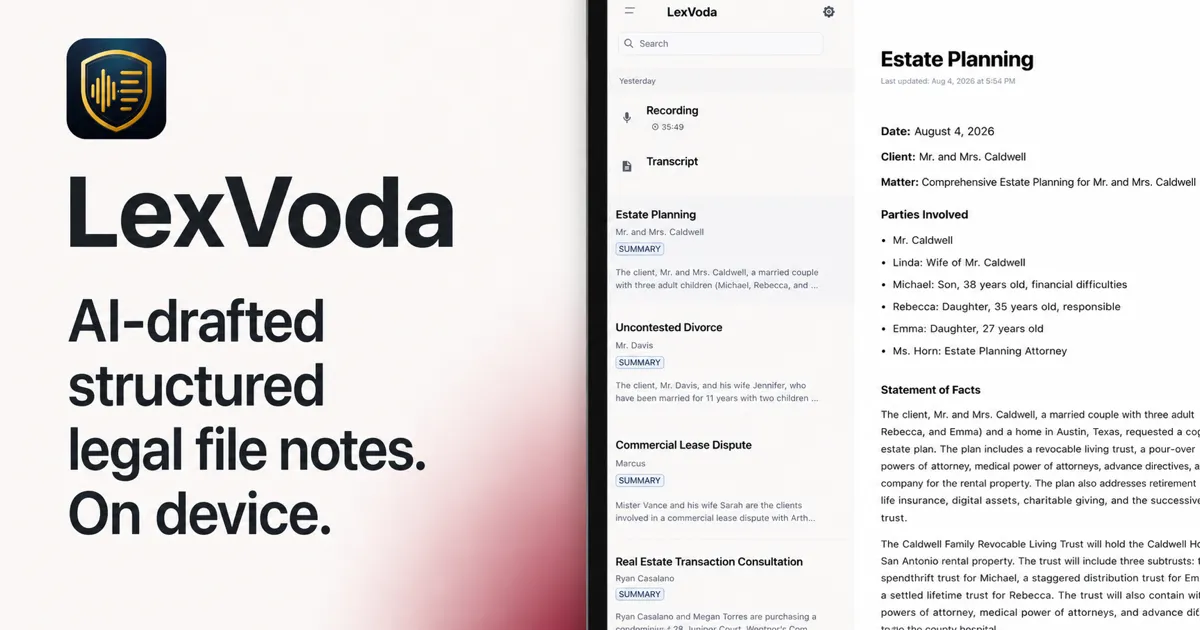
LexVoda is an AI-powered legal workflow application for lawyers who want help turning recorded or imported conversations into structured draft File Notes. Its core transcription and AI drafting workflow runs on the user’s Apple device rather than depending on a remote AI inference service.
That choice affects more than where a model runs. It affects how a lawyer thinks about confidential conversations, internet connectivity, hardware, review, and control of the final work product.
Cloud AI is convenient. For lawyers, privacy is part of the product.
Cloud AI services can be convenient: a device uploads a recording or transcript, a remote service performs the computation, and the result comes back quickly. For many everyday tasks, that is a reasonable trade-off.
Legal conversations are different. A recording may contain a client’s account of events, personal information, commercially sensitive details, information about third parties, or a lawyer’s own working notes. The material may be confidential even before it becomes part of a formal matter file. Sending that material to a remote AI service creates an additional question for the lawyer and the firm: where is the AI processing happening, and which service is handling the underlying content?
LexVoda treats that question as a product-design decision. Its on-device architecture is intended to reduce the need to disclose recordings, transcripts, and draft File Notes to a LexVoda-operated cloud AI service for the core workflow. It does not remove the lawyer’s responsibility to consider recording notice, consent, confidentiality, device security, backups, sharing, and other applicable obligations.
What “on-device AI” means in LexVoda
What is on-device AI? On-device AI performs model inference directly on a user’s device instead of sending the underlying AI workload to a remote inference service.
For LexVoda, this means the core workflow for audio transcription and AI-assisted File Note drafting is performed locally on the Apple device. The recording, the resulting transcript, and the AI-generated draft can be processed within the application without uploading that matter content to a LexVoda-operated cloud AI service by those features.
That is a precise architectural statement, not a promise that every process surrounding a device is local or offline. If a lawyer exports a document, shares content, uses email, enables a backup or synchronisation service, contacts support, or uses another third-party service, the receiving service may handle the information under its own terms and privacy practices. LexVoda’s Privacy Policy describes those boundaries in more detail.
From conversation to draft File Note
LexVoda’s workflow can be understood as a local pipeline:
- Audio recording: the lawyer records a conversation in LexVoda or imports an existing audio file.
- On-device transcription: LexVoda uses on-device AI to turn the audio into a transcript.
- On-device AI processing: the application processes the transcript locally to identify and organise useful matter information.
- AI-generated draft File Note: LexVoda produces a structured draft File Note for the lawyer to inspect.
- Lawyer review and editing: the lawyer checks the transcript and draft, corrects errors, adds context, and decides what belongs in the final work product.
The File Note is a draft. Transcription can mishear words, names, numbers, or speakers. Drafting can omit context or present a statement in a way that needs correction. LexVoda is designed to make review and editing part of the workflow, not to hide those responsibilities behind an apparently finished document.
Why we chose this architecture
On-device AI involves a real trade-off. A cloud-backed application can make computation feel invisible: the local device captures input, while remote infrastructure supplies the model capacity. Local inference puts more of that work on the device, but gives the product a more direct and predictable relationship with the matter content being processed.
LexVoda chose this approach for several connected reasons:
- Privacy: the core AI workflow does not require sending client conversations to a remote LexVoda AI inference service.
- Offline operation: transcription and drafting can be designed around the device’s available models rather than a live request to a cloud model.
- Predictable data handling: the application can keep the core processing path local, while the lawyer decides when to export, share, back up, or synchronise content.
- A clearer professional workflow: the transcript and draft File Note stay together on the device for review before the lawyer chooses what to do with them.
- A deliberate trade-off: local processing requires capable hardware and uses local compute, memory, battery, and storage resources.
This does not mean cloud AI is inherently unsuitable for every legal workflow, nor does it mean local AI eliminates all risk. It means LexVoda makes a different decision about where the central AI workload should run.
Works without relying on a cloud AI service
The core LexVoda workflow is designed to work without relying on a live cloud AI service for transcription and File Note drafting. That matters when a lawyer is travelling, working in a location with unreliable connectivity, or simply does not want a confidential conversation uploaded for remote inference.
It is still important to separate the core AI workflow from everything a device or app may do around it. Internet connectivity may be relevant to app distribution, purchases, entitlement restoration, support, email, sharing, backups, synchronisation, operating-system services, or other third-party features. The claim here is narrower: LexVoda’s core transcription and AI-assisted drafting features process their matter content on the Apple device rather than requiring a LexVoda-operated cloud AI backend.
You can see the product’s legal workflow overview and read the LexVoda privacy information for the current description of those boundaries.
The trade-off: local AI needs capable hardware
Running capable AI models locally requires more from an Apple device than sending work to a remote service. Models need to be stored locally, and the device needs enough memory and processing capacity to transcribe audio and generate a useful draft without making the workload invisible to the hardware.
That can affect which devices are a good fit, how long a larger recording takes to process, battery use, available storage, and the experience of running other applications at the same time. LexVoda’s current baseline is 8 GB of device memory, while the exact compatible-device list may include higher requirements for particular models. See the product overview for current guidance as the app and its models develop.
LexVoda chooses local computation and privacy over making the AI workload invisible to the device.
That is a limitation as well as a benefit. A lawyer evaluating LexVoda should consider the Apple hardware available to them, not just the convenience of the interface.
AI does not replace the lawyer
On-device processing changes where computation happens. It does not change who is responsible for the professional work product.
The lawyer should:
- review the transcript against the recording where important facts matter;
- verify names, dates, amounts, instructions, and other significant details;
- correct transcription and drafting errors;
- edit the AI-generated draft File Note for context, structure, and accuracy;
- apply professional judgment to what should be recorded; and
- determine whether the final document is suitable for the matter.
Local AI does not make an output automatically accurate, privileged, compliant, or legally protected. It is an assistive workflow for producing a reviewable draft, and the lawyer remains the decision-maker.
The National Institute of Standards and Technology’s AI Risk Management Framework is a useful independent resource for understanding the broader practice of identifying and managing AI risks. It does not assess or endorse LexVoda, and lawyers must still assess the obligations that apply to their own matters and jurisdictions.
A different approach to legal AI
LexVoda is built around a straightforward idea: lawyers should be able to use modern AI assistance while retaining control over sensitive client information and the final professional work product.
For solo and small-firm lawyers, that can mean fewer decisions about sending a conversation to a remote AI inference service before the first draft exists. It can also mean accepting more responsibility for device capability, local computation, and deliberate handling of exports and backups. Those are not incidental details. They are part of the product philosophy.
If that approach fits the way you work, explore LexVoda’s on-device AI workflow or learn more about LexVoda.
Frequently Asked Questions
Does LexVoda send client conversations to the cloud for AI processing?
For LexVoda’s core transcription and AI-assisted drafting features, recordings, transcripts, and draft File Notes are processed on the user’s device and are not uploaded to a LexVoda-operated cloud AI service by those features. Content can leave the device when a lawyer chooses to export or share it, sends it through email or support, or uses a backup, synchronisation, or other third-party service.
Does LexVoda work without an internet connection?
The core transcription and drafting workflow is designed to run without relying on a live internet connection or cloud AI service once the required app and on-device models are available. Other parts of the wider product experience—such as app distribution, purchases, support, sharing, backups, synchronisation, or operating-system services—may still involve connectivity or third parties.
Is LexVoda’s File Note generated by AI?
Yes. LexVoda generates an AI-generated draft File Note from the recording and transcript. The lawyer must review, verify, correct, edit, and approve the final document before relying on it.
Why does LexVoda require more capable Apple hardware?
Local AI models run on the Apple device instead of on remote infrastructure. LexVoda currently requires at least 8 GB of device memory, along with the processing capacity, storage, and battery needed for transcription and drafting. The benefit is a local core workflow; the trade-off is that hardware capability matters more.
Is on-device AI completely risk-free for confidential legal information?
No technology should be described that way. On-device processing can reduce exposure to a remote AI inference service for the core workflow, but it does not eliminate every privacy or security risk. Device access, permissions, exports, sharing, backups, synchronisation, support communications, and other services still matter. On-device AI also does not automatically make information legally privileged or legally protected.